Mapbox Geofencing drives operational efficiency and revenue growth
Simplify management of geofences and location-based actions on mobile
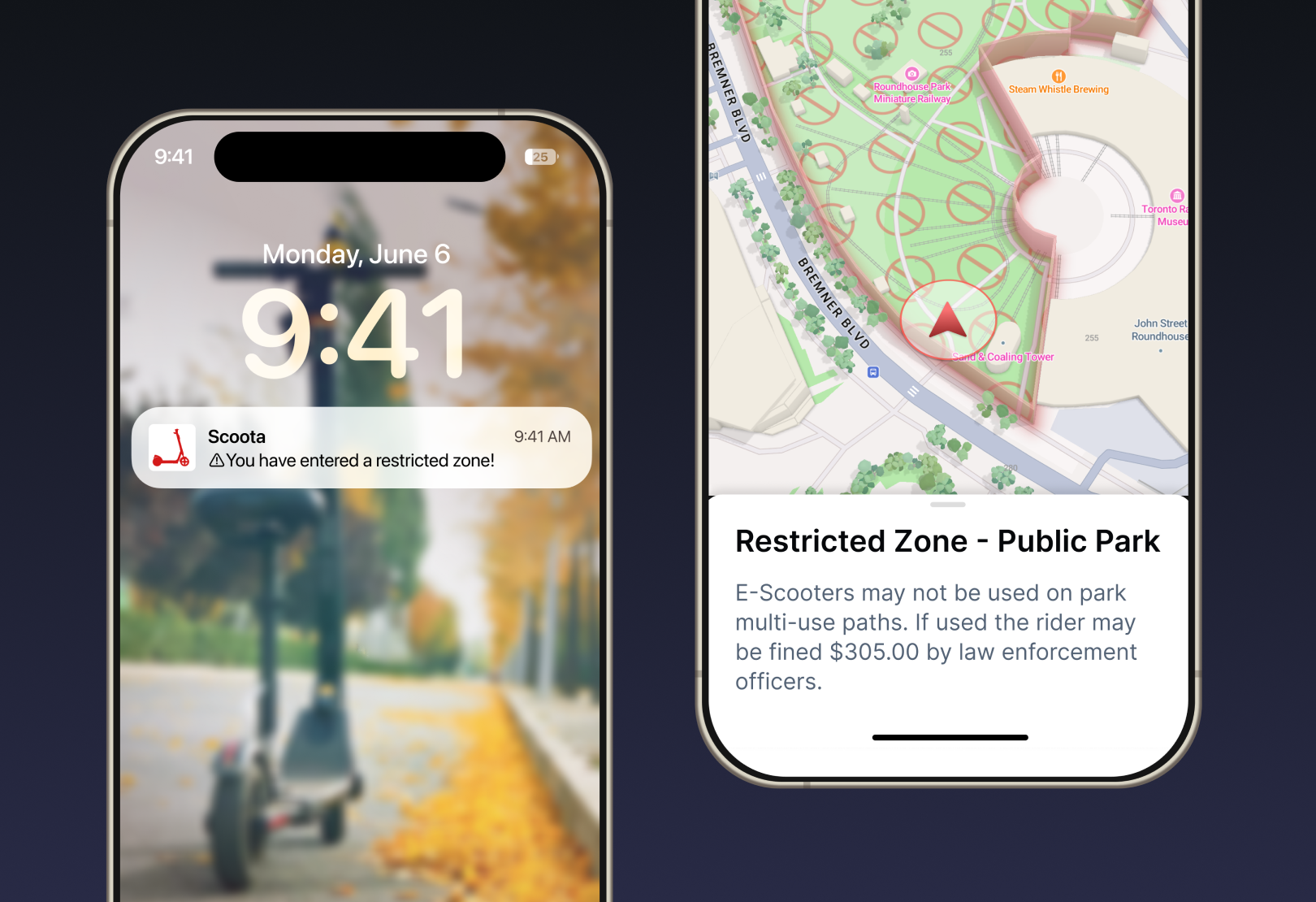
Mapbox Geofencing for iOS and Android is now generally available to all Mapbox accounts. The API makes it simpler to configure and manage geofenced areas and monitor when a device enters, exits, or remains within defined boundaries. Monitored device events can then trigger personalized actions, alerts, and notifications based on a user’s real-time, real-world location.
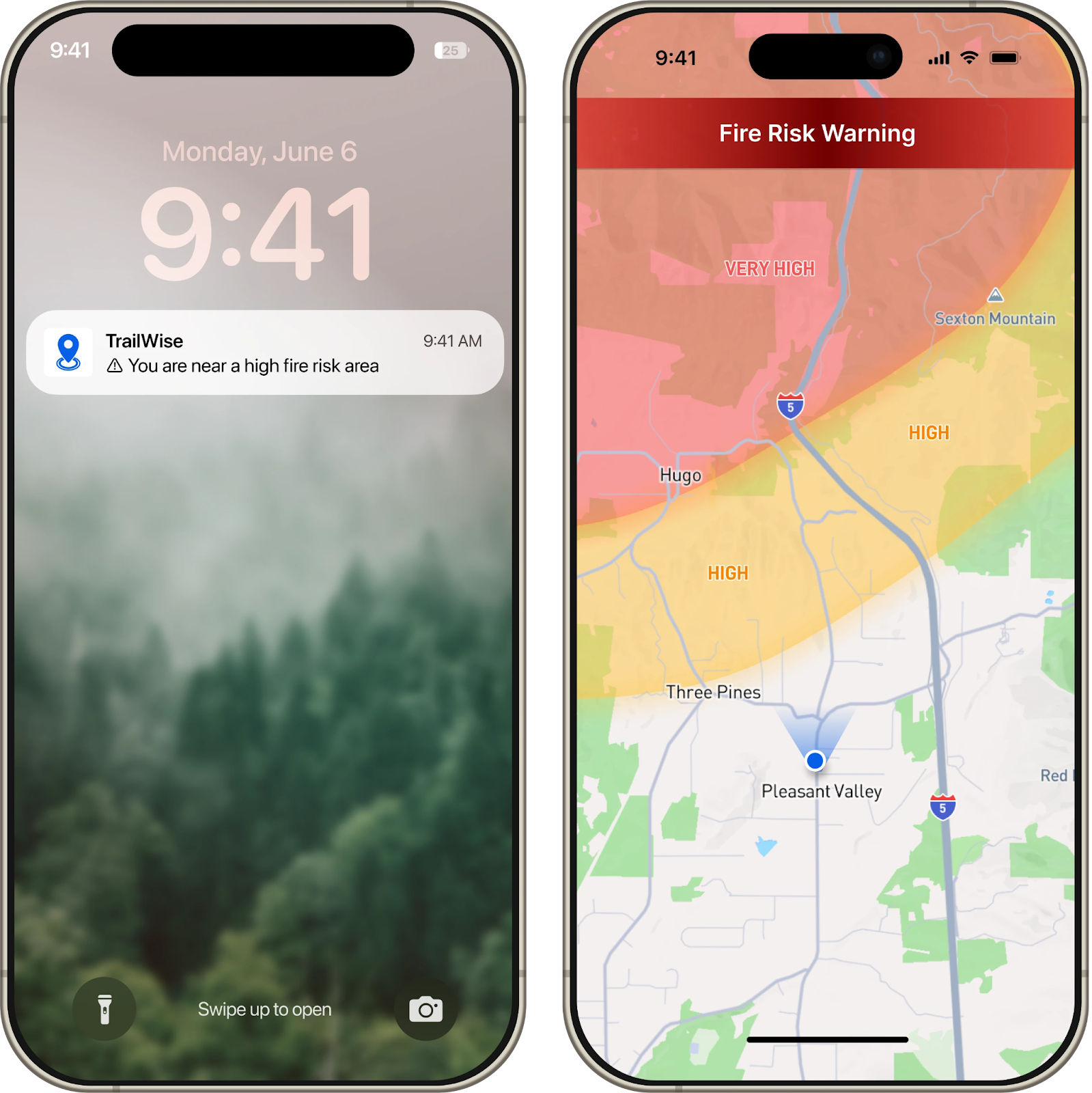
Developers can now unify geofencing utilities with their other Mapbox solutions, instead of managing separate native solutions on iOS and Android or using a third-party provider. Streamlining geofencing architecture saves time and developer resources and reduces fail points in internal geofencing operations.
OuterSpatial keeps users safer with geofencing
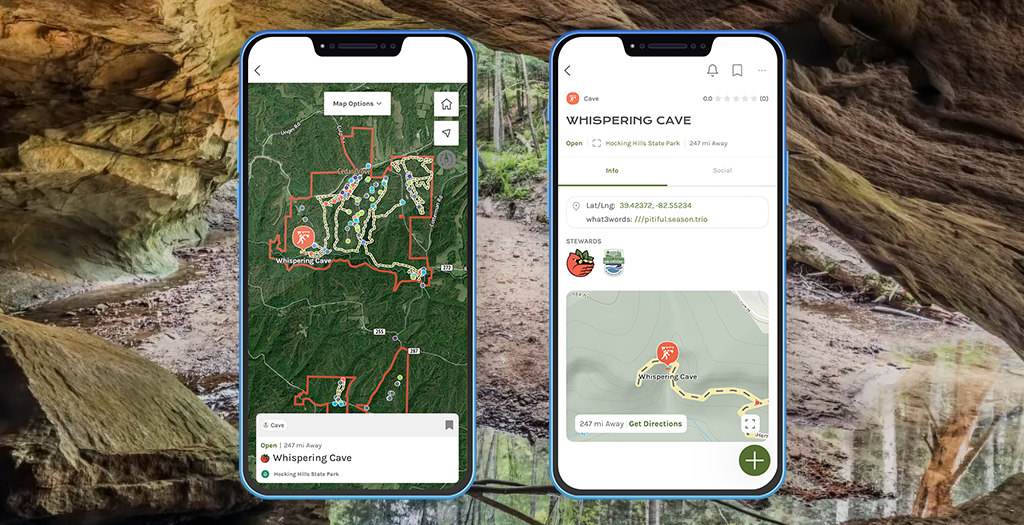
OuterSpatial provides detailed outdoor maps, offline maps, and safety tools to help adventurers discover new outdoor destinations, chart their next journey, and stay safe out in the wild. Its curated outdoor maps are used by individuals, and also organizations like state parks, fish and wildlife, or trail services.
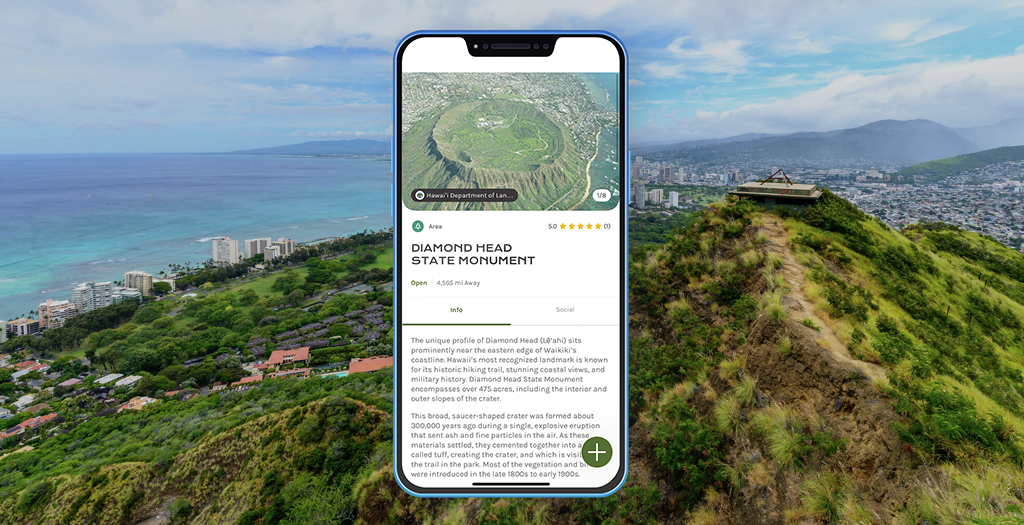
The Hawai’i State Park System uses OuterSpatial in its mobile app to provide visitors with crucial outdoor information to enjoy parks safely. New geofence features will enhance the park visitor experience. For example, the Ka’ena Point Trail park runs along the coast where tides can change quickly. A new geofence around the park will detect when hikers enter so that they are prompted to switch into a new application mode that prioritizes safety alerts about the tides. In another use case, the Diamond Head State Monument in Hawai’i requires users to reserve time blocks to enter the park. The park staff will use a geofence around the park so that they can send alerts to users within the park boundaries when their reserved time is coming to an end.
Many of our customers request the ability to easily define geographic boundaries so they can trigger various alerts that add value for their users and keep them safe. However, we were hesitant to undertake integrating multiple native geofencing solutions for iOS and Android, or a third-party service. With Mapbox, our map and geofencing platforms are now the same – streamlining our development and offering a unified solution to our customers. Ultimately, geofencing allows us to help improve the safety in outdoor areas we serve, and also create more engaging apps with things like geofencing trailheads or summits for outdoor challenges. -Nate Irwin, Co-founder & CPO at OuterSpatial
Configurable events and flexible data sources
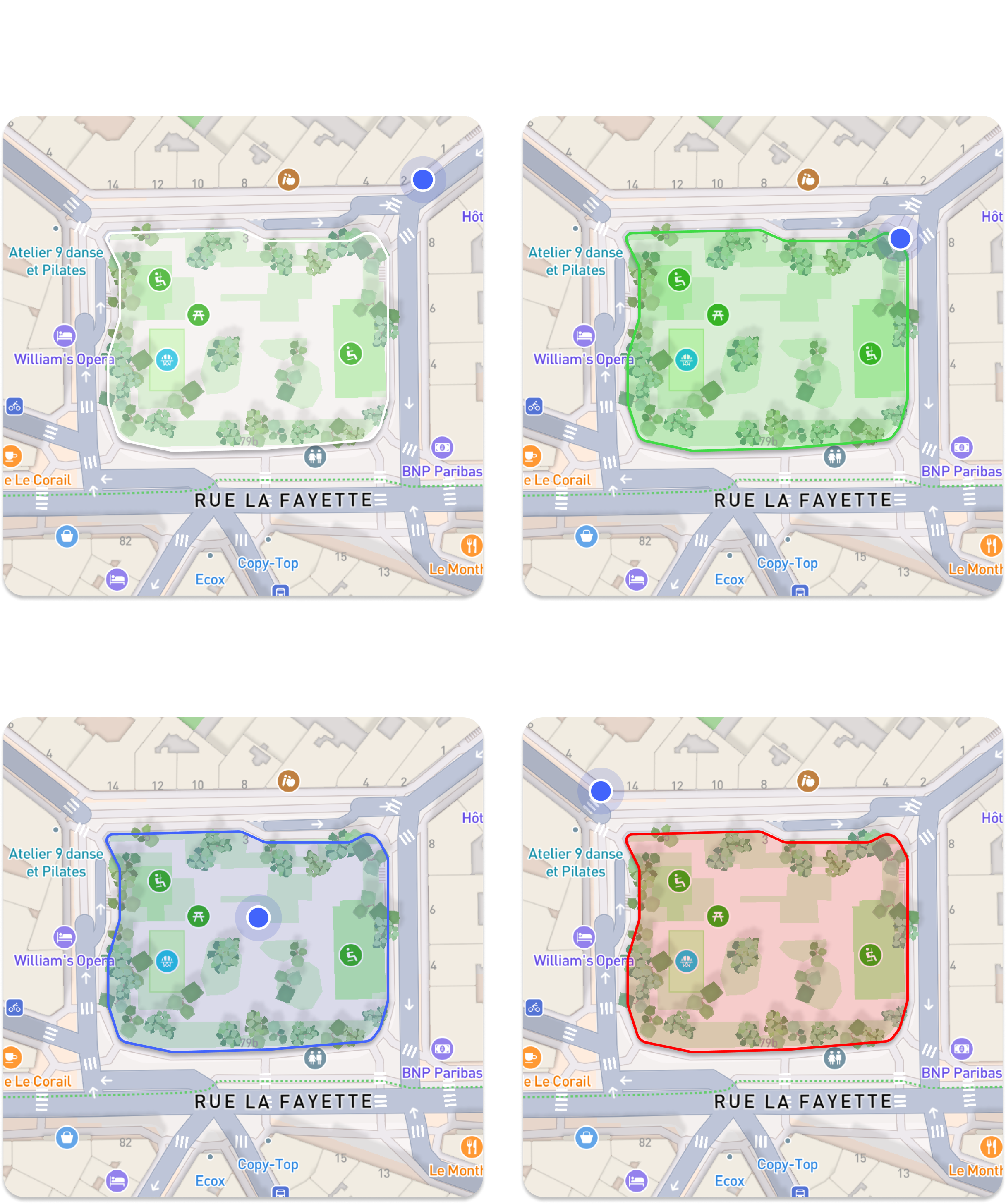
Mapbox Geofencing sends event triggers when app users enter, exit, or remain within a geofenced area. Developers can define dwell duration in minutes for each individual geofence for more granular control.
Geofences can be defined individually or programmatically, such as defining an automatic radius around points or using existing boundaries data like zipcodes, census blocks, or school zones. Developers can also upload geofences as GeoJSON files or automatically generate them based on on-device data or customer inputs. They can also choose to use existing data products like Mapbox Boundaries, or generate travel-time based geometries with the Mapbox Isochrone API.
Mapbox provides scalable geofencing, online and offline
Mapbox Geofencing monitors events on the client side, allowing functionality both online and offline. Applications can use location monitoring in both foreground and background modes for iOS and Android. Unlike native solutions for iOS and Android, there are no set limits on the number of geofences managed with the API.
Mapbox geofencing supports point-radius and complex boundary geometries that enable precise monitoring of intricate spaces, including postal code areas, property boundaries, or groups of buildings, offering greater flexibility than traditional approaches.
One geofencing solution across mobile devices
Android and iOS geofencing services both have platform-specific implementation differences. Standalone third-party geofencing products often need to be integrated into a wider platform that offers more robust maps, search, and navigation solutions. With Mapbox Geofencing, application developers can streamline architecture and procurement by using the geofencing solution within the wider Mapbox platform. Building within the Mapbox platform saves development effort by skipping platform specific implementations and additional third-party integrations.
Virtual perimeters, real results
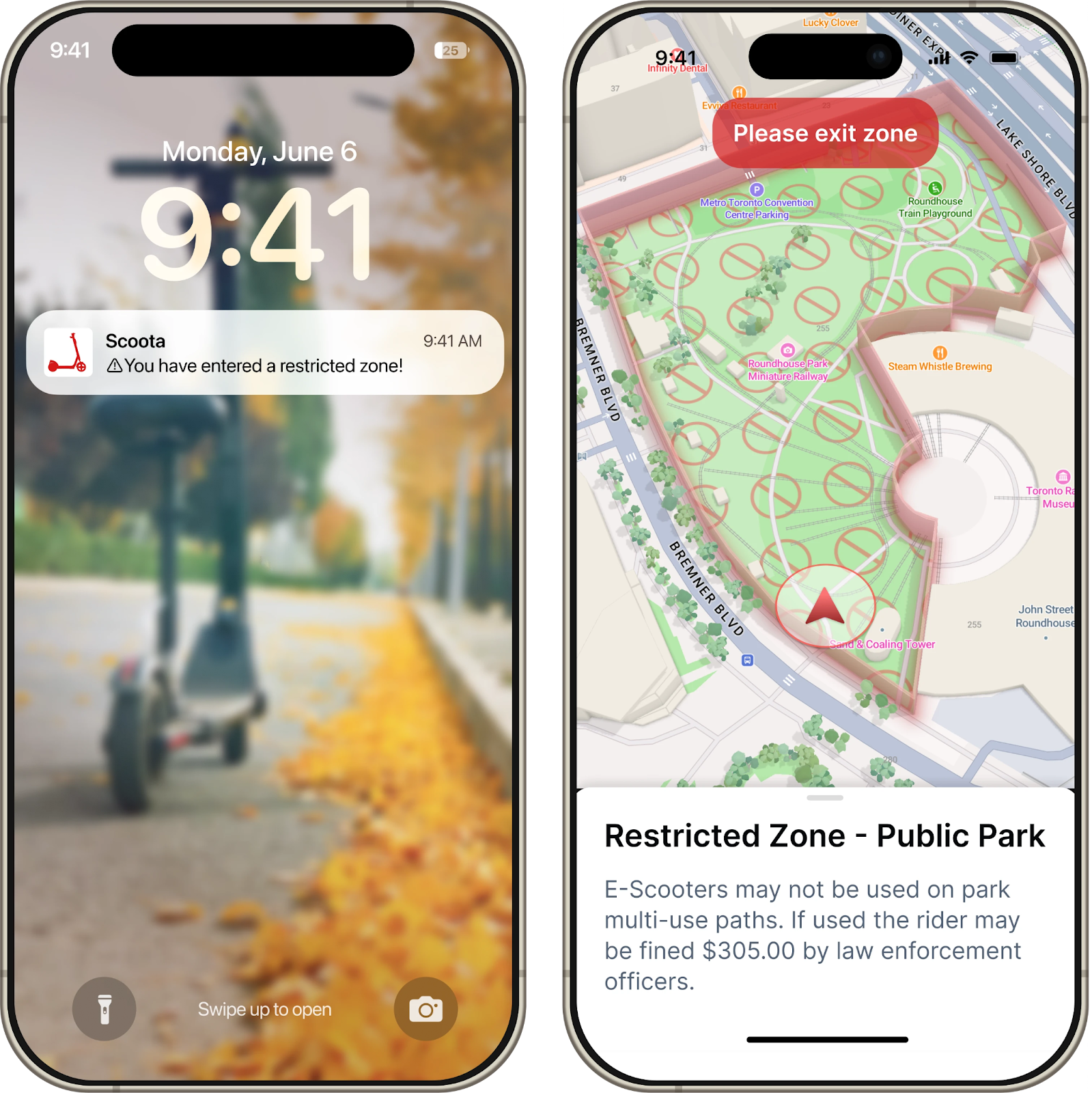
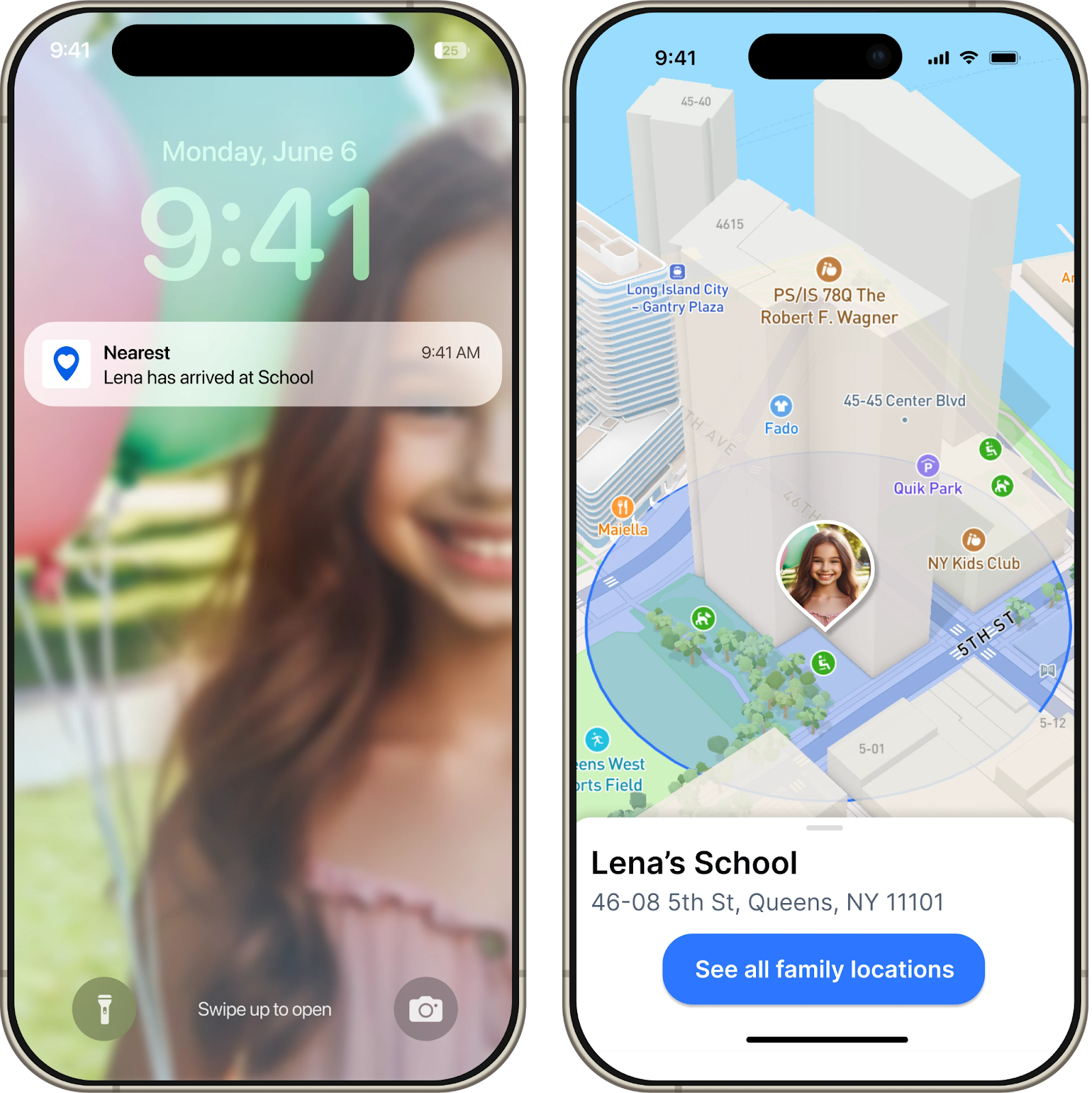
Geofences can be used in diverse ways. They can help create smart, ‘Internet of Things’ (IoT) applications that automate tasks such as turning on smart home lights when a user arrives. They can be used to improve user safety or enforce regulatory compliance, such as switching a hybrid vehicle to electric mode in low-emission zones. Geofences can also be used to track when a shipment arrives, or monitor children as they arrive and leave their school.
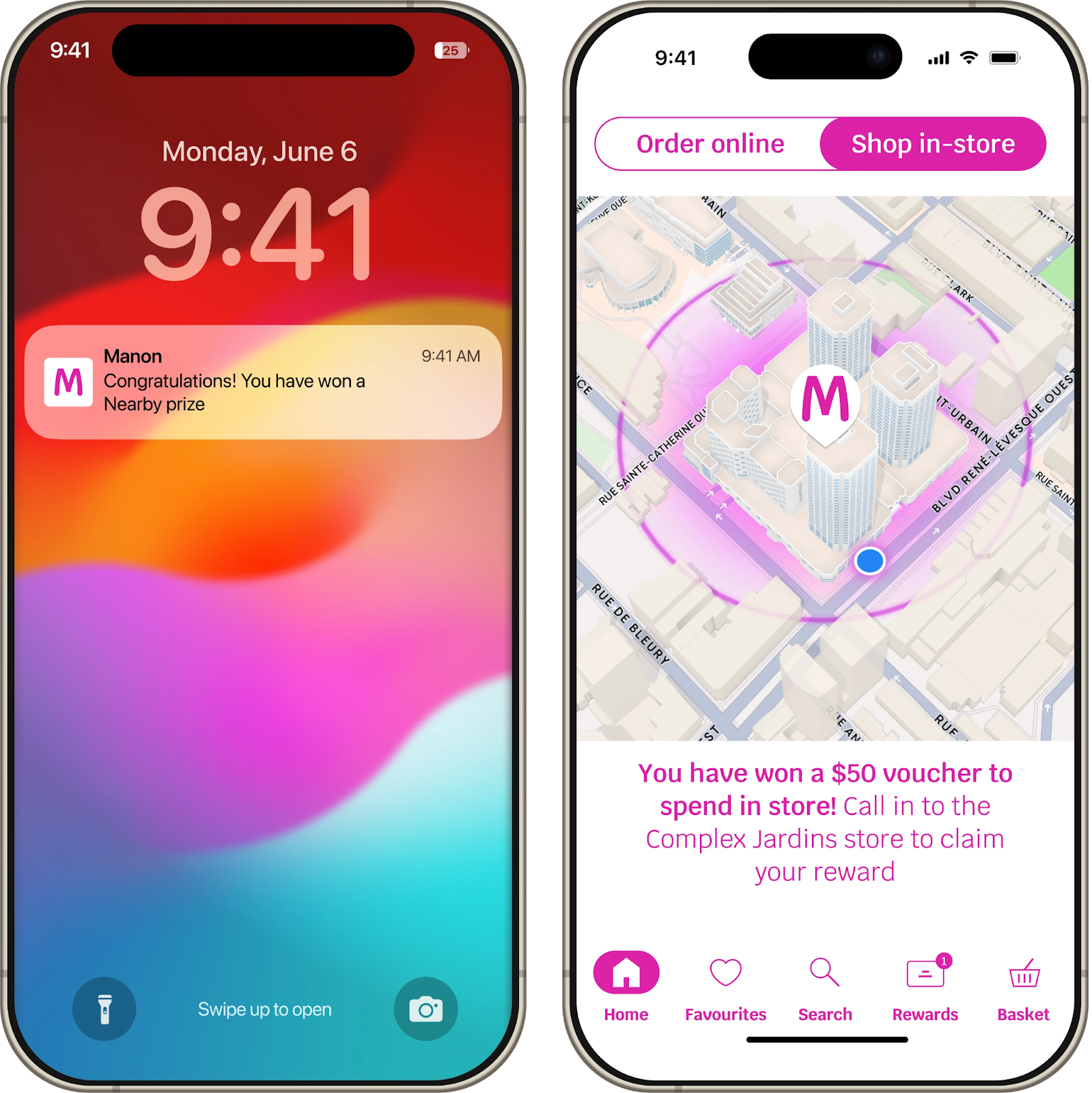
In marketing or advertising, geofencing can deliver personalized promotions when a customer is near a retail location. Geofence events can be sent from the client application to centralized campaign management tools, allowing developers to build audiences, create segments, and run promotional campaigns more effectively based on collected data.
Get started with Mapbox Geofencing
Mapbox Geofencing is now generally available to all Mapbox accounts. See the documentation for iOS and Android to get started. Mapbox has also released tutorials for iOS and Android to help with implementing geofences into an application. See the Mapbox pricing page for information on Mapbox Geofencing pricing.
__________________________________________________________________________________________
Frequently asked questions about Mapbox Geofencing
What is Mapbox Geofencing?
Mapbox Geofencing enables developers to build applications that respond dynamically to changes in mobile device location. It has two core components: APIs for creating, configuring, and managing geofences, and a client-side engine that monitors when a device enters, exits, or remains within geofence boundaries. Developers can use these monitored events to trigger actions, alerts, and notifications. The Mapbox Geofencing API is available on iOS and Android.
What can I use Mapbox Geofencing for?
- Automate actions: Create apps that respond to user location by automating tasks such as turning on smart home lights or switching a hybrid vehicle to electric mode.
- Provide contextual alerts and services: Deliver relevant experiences by sending location-based alerts, such as notifying users when a delivery is approaching.
- Improve user safety: Enable real-time alerts to notify users when they enter high-risk zones, like areas with active forest fires.
- Enforce compliance with local regulations: Automatically adjust app settings to meet local requirements, like notifying hunters and fishers if they are outside permitted areas or alerting micromobility riders when they enter zones with reduced maximum speeds.
How do I access Mapbox Geofencing?
Mapbox Geofencing is available in the Mapbox Maps SDKs v 11.8.0 for iOS and Android. Please refer to the Android and iOS Getting Started guides for how to download the latest SDK version and start developing with Mapbox. Find geofencing specific documentation here for iOS and Android.
How do I create geofences?
Geofences are defined with GeoJSON and support Point, Polygon and MultiPolygon geometries. Each geofence must have a unique ID.
You can reuse existing GeoJSON datasets from your map as geofences. If you do not have an existing dataset, the Dataset editor in Mapbox Studio provides visual tools for geofence setup, while the Mapbox Datasets API supports programmatically generating larger datasets for advanced use cases. Additionally, other Mapbox data products, like Boundaries, can serve as geofences.
If you have existing datasets in other geospatial data formats, you can convert to GeoJSON using open source tools like togeojson, a Node package for converting KML and GPX (XML formats).
Where can I host or store my geofences?
- Host with Mapbox: Use the Mapbox Datasets API to host geofences directly with Mapbox.
- Self-host: Host geofences on your own servers or with third-party providers.
- In the application bundle: Include geofences in the app bundle for static geofences that do not change between app versions.
- On-device: Store user-generated geofences directly on the device, which is ideal for sensitive locations like home addresses that shouldn’t be hosted in the cloud. Geofences can also be downloaded on-device for offline use.
What events do I get from Mapbox Geofencing?
Mapbox Geofencing sends out three different types of events, onEnter, onExit, and onDwell.
- Enter event is triggered when the device enters the boundaries of a monitored geofence.
- Dwell event is triggered when the device has remained within the Geofence boundaries for a predetermined period of time.
- Exit event is triggered when the device leaves the boundaries of a monitored geofence.
How do I trigger actions based on geofencing events?
After setting up the geofencing observer, you can use the geofencing events to trigger actions and alerts in your application. Please refer to the iOS developer documentation on how to send user notifications and how to set up a remote notification service for your iOS application. Please refer to Android documentation on how to add notifications to your Android application.
What user permissions do I need for geofencing?
The user must grant coarse and fine location permissions before using Mapbox Geofencing. Technically, geofencing can work with only coarse location, but it will be significantly less accurate. Note that users must also grant background permission for geofencing to work while the application is not in the foreground.
How do I monitor geofences when the app is in the background?
To handle background geofencing events, the geofencing observer needs to be registered every time the application starts. On Android we recommend doing so during the Application.onCreate() method and on iOS in your UIApplicationDelegate.
How many geofences can I monitor at once?
Mapbox Geofencing does not set limits on the number of geofences. However, monitoring large numbers of geofences simultaneously can impact performance on lower-end devices. Mapbox Geofencing includes tools that allow you to easily restrict the number of monitored geofences to prevent such scenarios.
Can I use Mapbox Geofencing offline?
Yes, Mapbox Geofencing works offline.
What does Mapbox Geofencing cost?
Mapbox Geofencing is charged by monthly active users. See the Mapbox pricing page for specific details.


Related articles
Turn AI-generated map styles into production-ready maps in minutes with Mapbox Studio
From upload to styled data layers in seconds: Smarter styling defaults in Mapbox Studio
